Keep the photo.
Lose the blink.
Unruin repairs the photo you already love. Open closed eyes, remove glasses glare, move hair off the face. One thing changes. Your face stays yours.

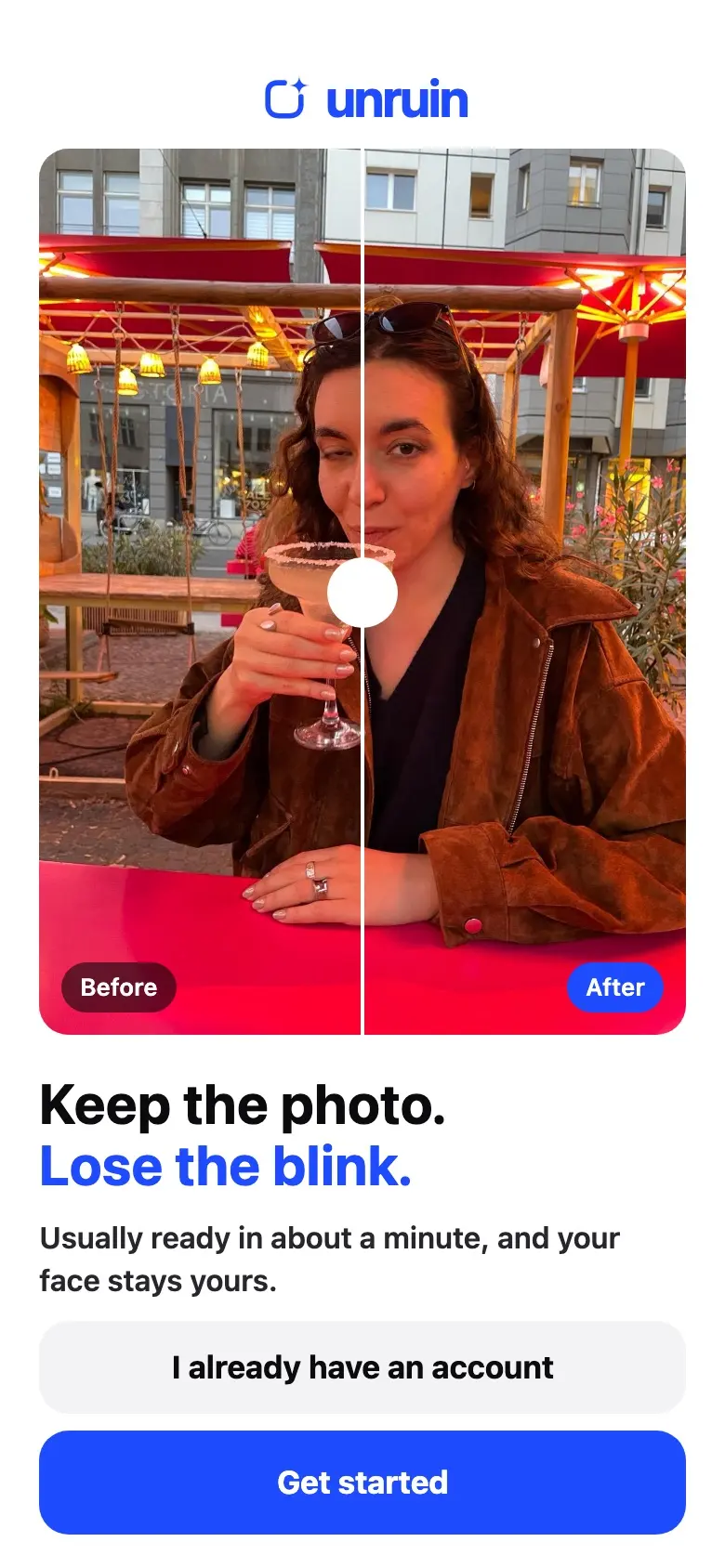
 BeforeAfter
The moment was perfect. Her eyes were not.
Unruin opened her eyes and left everything else alone: the light, the glass, the street behind her.
Three taps. No editing skills.
Unruin learns your face once, then repairs any photo you choose.
Record a short face scan
A few seconds of video, so every fix still looks like you.
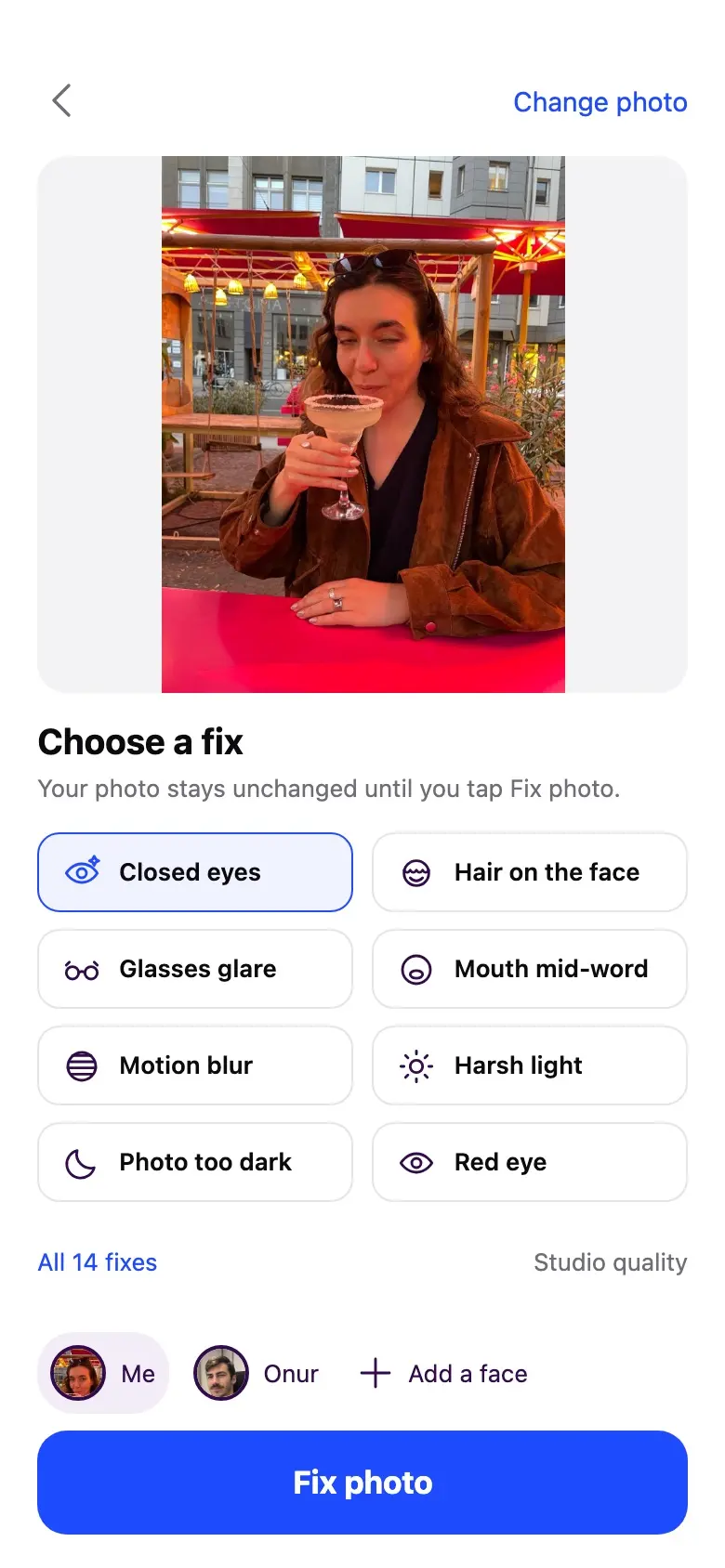
Pick a photo and a fix
Choose what went wrong. Your photo stays unchanged until you tap Fix photo.
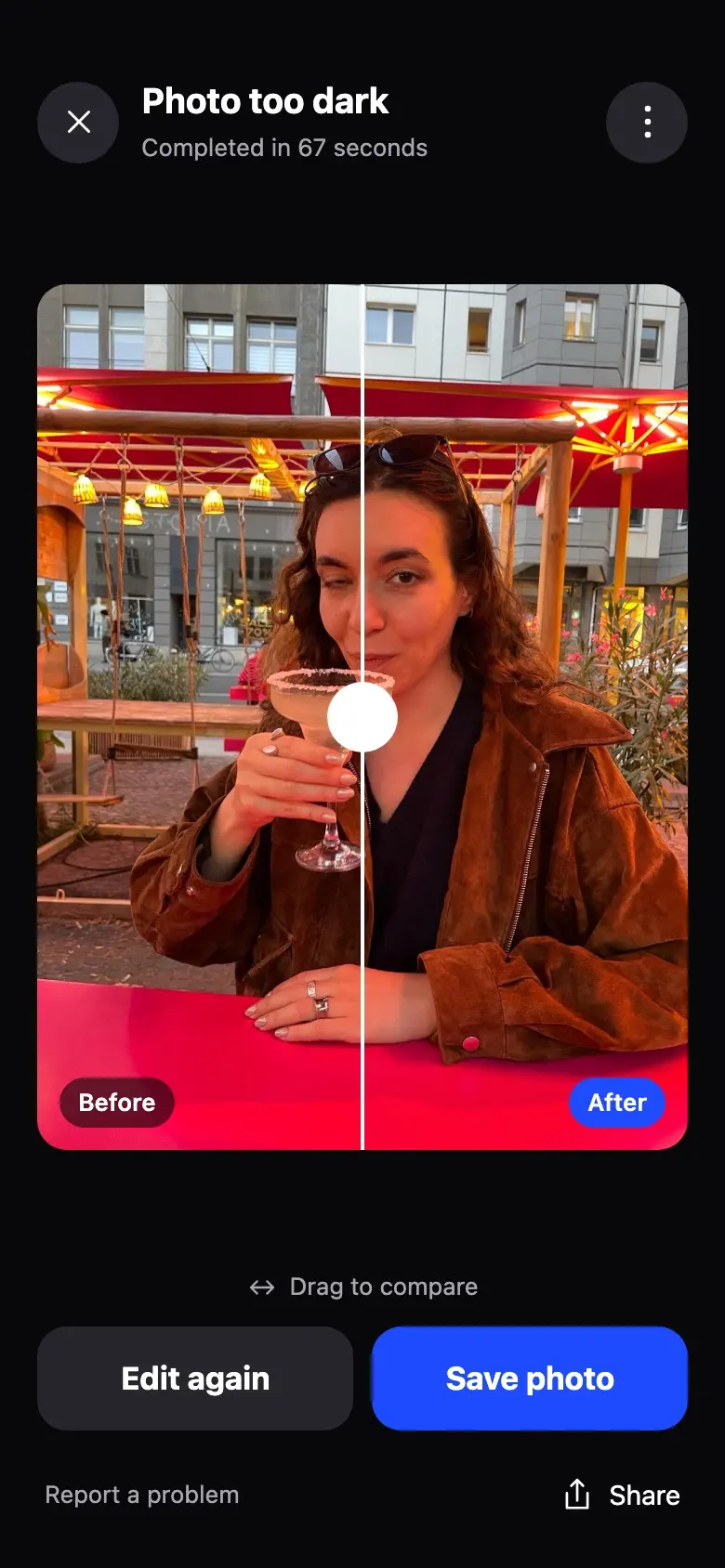
Compare and save
Drag to see before and after, then save it to your photo library.
Small problems. Big difference.
Fourteen repairs for the things that ruin a good photo.
Your face stays yours.
Unruin uploads only the photos you choose to fix and the scans you record. Nothing is published, and you can delete it all.
Read the privacy policyQuestions, answered.
How long does a fix take?
Usually about a minute. You can leave the screen while Unruin works. The app tells you when the photo is ready.
Will the photo still look like me?
Yes. Unruin uses your own short face scan and changes only the problem you choose. The rest of the photo stays as it was.
Can I fix photos of other people?
Yes, when you have their permission. Add a face profile for each person who is in your photos.
What does it cost?
Unruin Pro is a subscription through the App Store. The app shows the plans and prices before you buy, and you can cancel in your App Store settings.
Which phones does it work on?
Unruin is coming to iPhone first.
How do I contact you?
Email support@unruin.app. We read every message.

Coming soon to iPhone.
Unruin is in testing now. It will be on the App Store soon.
Tell me when it launches